You have invested hundreds of dollars in a next-generation console, meticulously arranged your setup, and dedicated hours to honing your reflexes. Yet, for millions of gamers, a hidden bottleneck is physically limiting their competitive potential, rendering the raw power of their hardware invisible to the naked eye. It isn’t a lack of skill or a flaw in the console itself, but a silent synchronization failure between the processor of the game system and the refresh cycles of the display panel.
Sony has officially addressed this hardware disparity with a firmware transformation that effectively re-engineers the performance capabilities of select Bravia XR televisions. By unlocking a seamless communication channel between the console and the display, this update doesn’t just improve image quality—it fundamentally alters the physics of how the game is rendered and perceived. This specific integration creates a hardware ecosystem where the display is no longer a passive viewer, but an active participant in the processing pipeline.
The Hardware Handshake: “Perfect for PlayStation 5”
The core of this upgrade revolves around a proprietary certification program Sony calls “Perfect for PlayStation 5.” This is not merely a marketing slogan; it represents a specific firmware protocol that allows the TV’s Cognitive Processor XR to handshake directly with the PS5’s GPU. Before this update, the console and TV spoke different dialects, often resulting in standard HDR implementation that crushed blacks or blew out highlights.
With this new architecture, the TV automatically switches into specific modes depending on the metadata it receives. If you are booting up a high-octane shooter, the display drops standard processing to prioritize frame times. If you are watching a Blu-ray via the console, it re-engages image fidelity protocols. This automation removes the user error often associated with calibrating high-end displays.
Target Audience Analysis: Is This Update For You?
Not every user requires this level of synchronization. The table below breaks down who benefits most from this firmware unlock.
| Gamer Archetype | Primary Benefit | Necessity Level |
|---|---|---|
| The Competitive FPS Player | Input latency reduction and target tracking fluidity. | Critical |
| The Cinematic RPG Player | Auto HDR Tone Mapping for accurate lighting/shadows. | High |
| The Casual Streamer | Automatic switching between Game and Cinema modes. | Moderate |
Understanding who benefits is the first step, but understanding the raw numbers behind the refresh rate reveals why this update is a game-changer for competitive rankings.
120Hz: The Science of Milliseconds
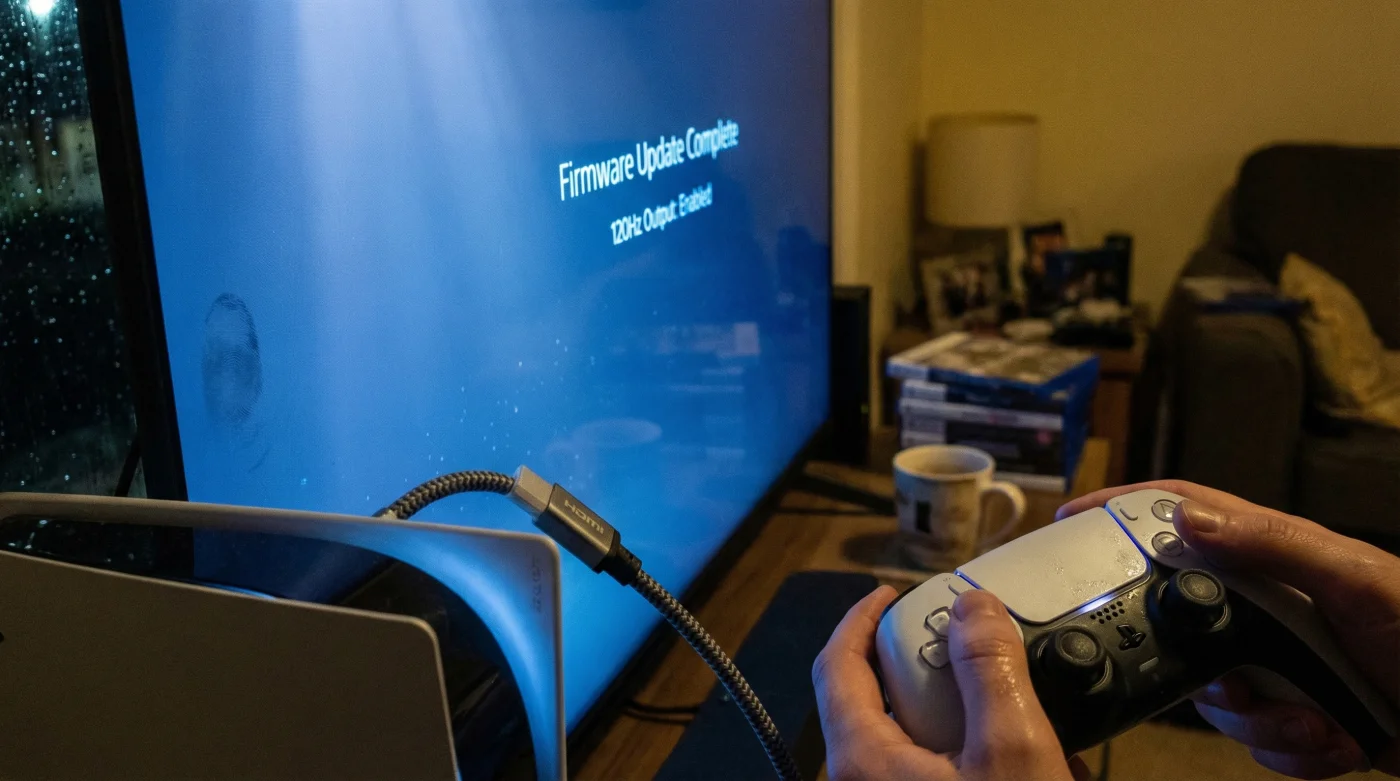
The headline feature of this update is the unlocking of 120Hz refresh rates. For decades, console gamers were locked at 60Hz (or 60 frames per second), meaning the screen refreshed an image every 16.6 milliseconds. While adequate for standard viewing, this interval creates a “blind spot” in fast-paced competitive environments where an enemy can move between refresh cycles.
- Soundbars outsell complex receiver systems for the first time in history
- Roku disables developer mode access effectively banning third-party app sideloading
- Sony unlocks one hundred twenty hertz refresh rates specifically for console gamers
- Netflix quietly reduces streaming bitrates causing visible grain on 4K televisions
- Running standard power cords behind drywall voids your home fire insurance
Technical Data: The Latency Dosing
To visualize the impact, we compare the standard output against the unlocked Bravia XR performance metrics.
| Metric | Standard TV (60Hz) | Sony Bravia XR Unlocked (120Hz) |
|---|---|---|
| Frame Time | 16.6 ms | 8.3 ms |
| Information Update Density | Low (High motion blur) | Double (Crisp motion clarity) |
| Input Lag (Approx.) | 20ms – 40ms | Sub-8.5ms |
However, simply owning a compatible TV is not enough; incorrect calibration can leave these features dormant, leading to a frustrating troubleshooting process.
Auto HDR Tone Mapping: Automated Calibration
Beyond speed, the update introduces Auto HDR Tone Mapping. Traditionally, setting up High Dynamic Range (HDR) required users to manually adjust sliders in the console menu until a logo barely disappeared. This method was subjective and prone to error, often resulting in “washed out” images.
With this update, the PS5 recognizes the specific model of the Bravia TV (e.g., A90J or X90J) and instantly selects the optimal HDR setting tailored to that panel’s peak nits (brightness) capability. This ensures that details in the brightest clouds and the darkest caves are preserved without user intervention. The tone mapping curve is applied at the source, ensuring the signal sent to the TV is already optimized for its physical limitations.
Diagnostic: Why Isn’t My 120Hz Working?
If you have applied the update but are still seeing 60Hz or suffering from screen tearing, use this diagnostic logic to isolate the cause:
- Symptom: Screen goes black or flickers when switching to 120Hz mode.
Cause: Insufficient bandwidth. You are likely using an older HDMI 2.0 cable instead of the required Ultra High Speed HDMI 2.1 cable. - Symptom: Colors look washed out in Game Mode.
Cause: HDR Tone Mapping is off or the HDMI signal format is set to “Standard” rather than “Enhanced format.” - Symptom: VRR (Variable Refresh Rate) is greyed out.
Cause: The TV firmware is outdated or the HDMI port used is not ports 3 or 4 (on most Bravia XR models).
Ensuring the signal path is clean is paramount to utilizing the full bandwidth of the HDMI 2.1 specification.
The Connection Protocol: A Quality Guide
To guarantee the hardware handshake occurs, you must verify your physical setup. The entire chain—from console to cable to port—must be rated for 48Gbps bandwidth.
| Component | What to Look For (Pass) | What to Avoid (Fail) |
|---|---|---|
| HDMI Cable | Labelled “Ultra High Speed” (Supports 4K/120Hz). | Standard “High Speed” cables (Limited to 4K/60Hz). |
| TV Input Port | Marked “4K 120Hz” or HDMI 2.1 (Usually Ports 3 & 4). | Standard HDMI 2.0 ports (Usually Ports 1 & 2). |
| TV Settings | Signal Format set to “Enhanced format (VRR).” | Signal Format set to “Standard.” |
Once these physical and digital connections are verified, the ecosystem operates autonomously, removing the friction between player intent and on-screen action.
Conclusion
Sony has effectively deployed a physical modification through software, turning compatible Bravia XR televisions into extensions of the PlayStation 5 console. For the casual observer, the colors may simply look richer. But for the dedicated gamer, the shift to 120Hz and automated tone mapping represents a tangible competitive advantage. In a hobby where milliseconds define victory, ensuring your display is speaking the same language as your console is no longer a luxury—it is a necessity.